
Client experience
The bit your clients see, and judge you on.
Clients do not experience your practice management system. They experience the emails it sends and the pages those emails take them to — and for most firms that is a PDF attachment, a request to print and scan, and a reminder somebody typed by hand. In The Link every one of those moments is a branded page that works on a phone, takes one tap, and files the result against the right client automatically.
What it does
Client portal
A secure, branded space where clients see their active work, upload documents, approve jobs and message your team. Magic-link sign-in, so there is no password to reset and no friction between the email and the thing you need them to do.
iOS and Android app
The same experience on a phone — approvals, messages, documents and uploads — for the clients who will never sit down at a laptop to do it.
Approve work in one tap
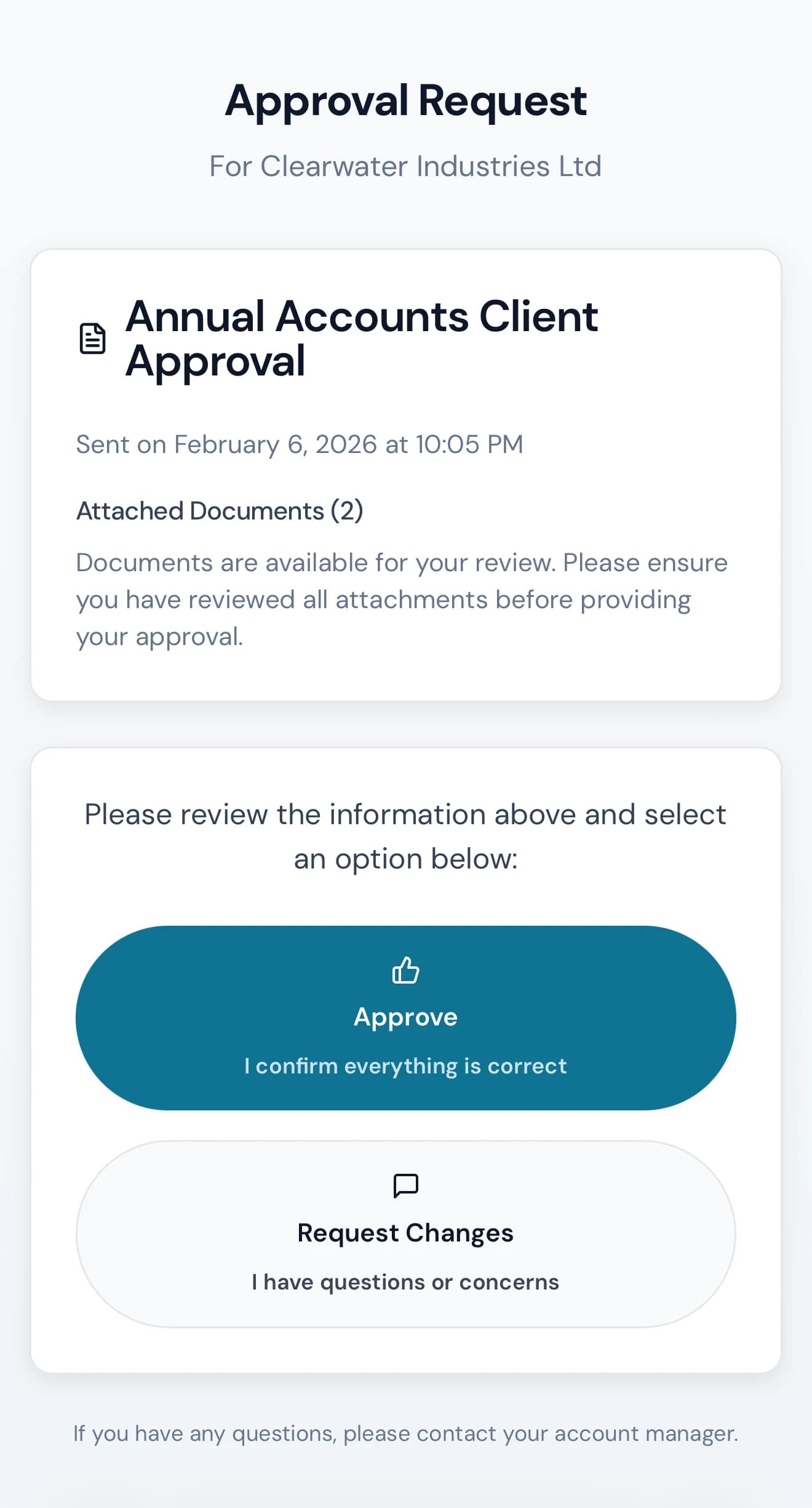
Accounts, returns and anything else that needs a client sign-off go out as a page with the document and two buttons. Approve, or request changes with a reason — and the job moves to the next stage by itself.
Sign anything, from anywhere
Engagement letters, statutory documents and approval forms signed electronically on any device, with a full audit trail and a signing certificate stored against the client.
Answer bookkeeping queries in place
Query lists go to the client as a page they work down, not a spreadsheet they have to open, fill in and send back. Answers land against the transaction they relate to.
Onboarding and information requests
New clients complete structured forms rather than replying to an email with half the answers. What they enter populates the client record directly, so nobody re-keys it.
Upload folders that stay organised
Per-client folder structures for tax, payroll, VAT and anything else, so documents arrive in the right place instead of as attachments buried in a thread.
Meetings clients book themselves
Bookable slots, calendar invites, reminders and video joins handled automatically — no email exchange to find a time that works.
Connected to
Every one of these is wired, with token storage, error handling and — where the provider needs it — a refresh job that keeps the connection alive.
- SendGrid
- Cloudflare R2
- Daily.co
The rest of the platform
Practice management
Jobs, stages, owners, capacity and time — the spine the rest of the firm hangs off.
Communications
Email, calls, meetings, internal chat and campaigns — all attached to the client they belong to.
Compliance
HMRC, Companies House, AML and the audit trail that proves all three were done.
Bookkeeping
Bank statements, receipts and supplier documents read by AI and pushed to the ledger — without a separate auto-entry licence.
Proposals & engagement
Scoped proposals, engagement letters and e-signature — signed, countersigned and filed without leaving the platform.
Billing & credit control
Direct Debit, recurring fees, payment links and a chase ladder that runs without anyone remembering to.
Reporting & intelligence
Thirty named reports, a pivot builder, and an AI you can ask questions of in plain English.
See client experience against your own firm.
Thirty minutes, screen shared, your work on the table. Or answer six questions and get a deck built around what you said matters.