
Communications
The inbox stops being the system of record.
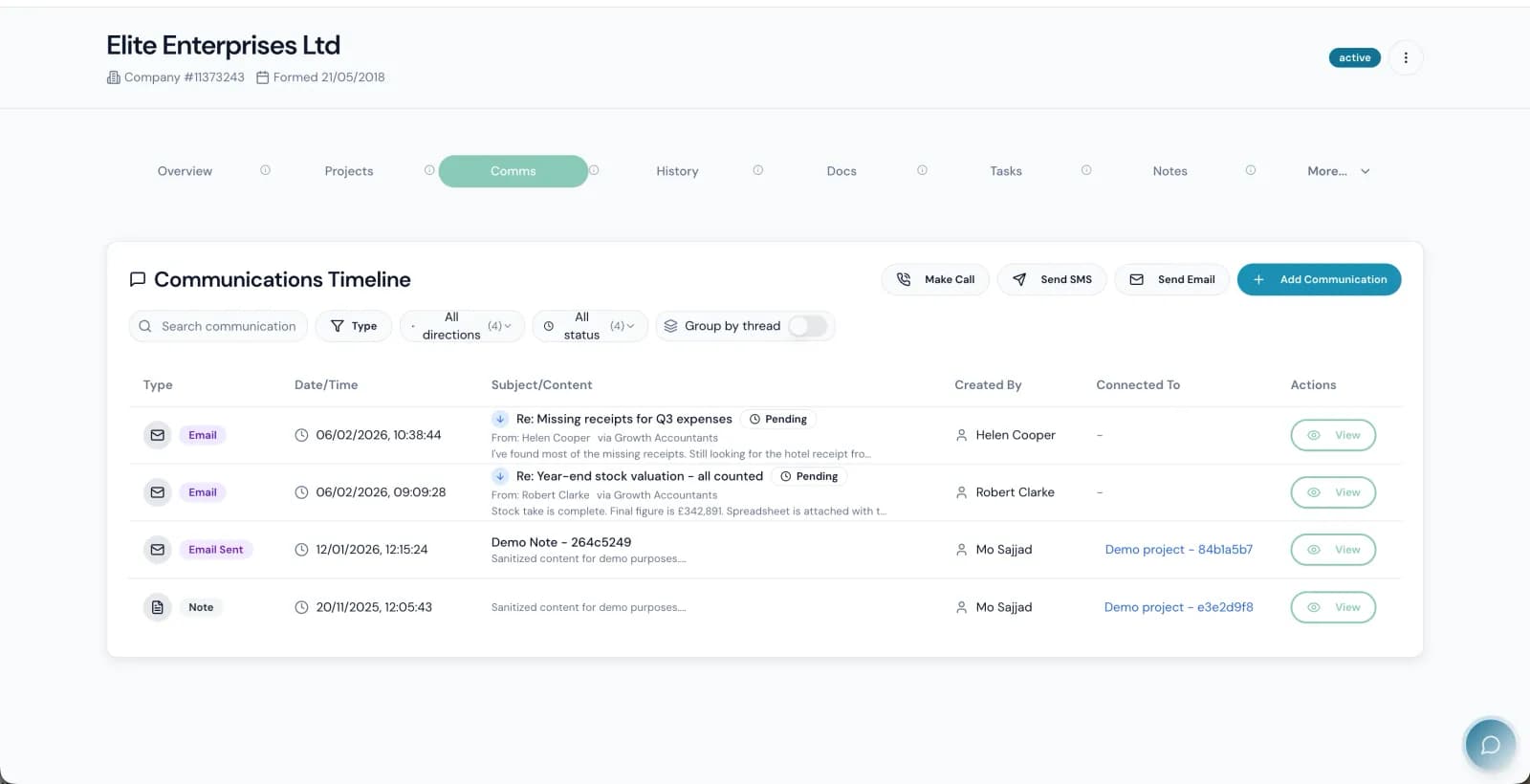
In most firms the real history of a client lives in five people's mailboxes, a few phone calls nobody wrote up, and a Teams thread. The Link pulls all of it onto the client — every email, call, meeting, note and message, in one timeline, without anyone filing anything. When somebody is on holiday or leaves, their client relationships do not leave with them.
What it does
Outlook email, synced both ways
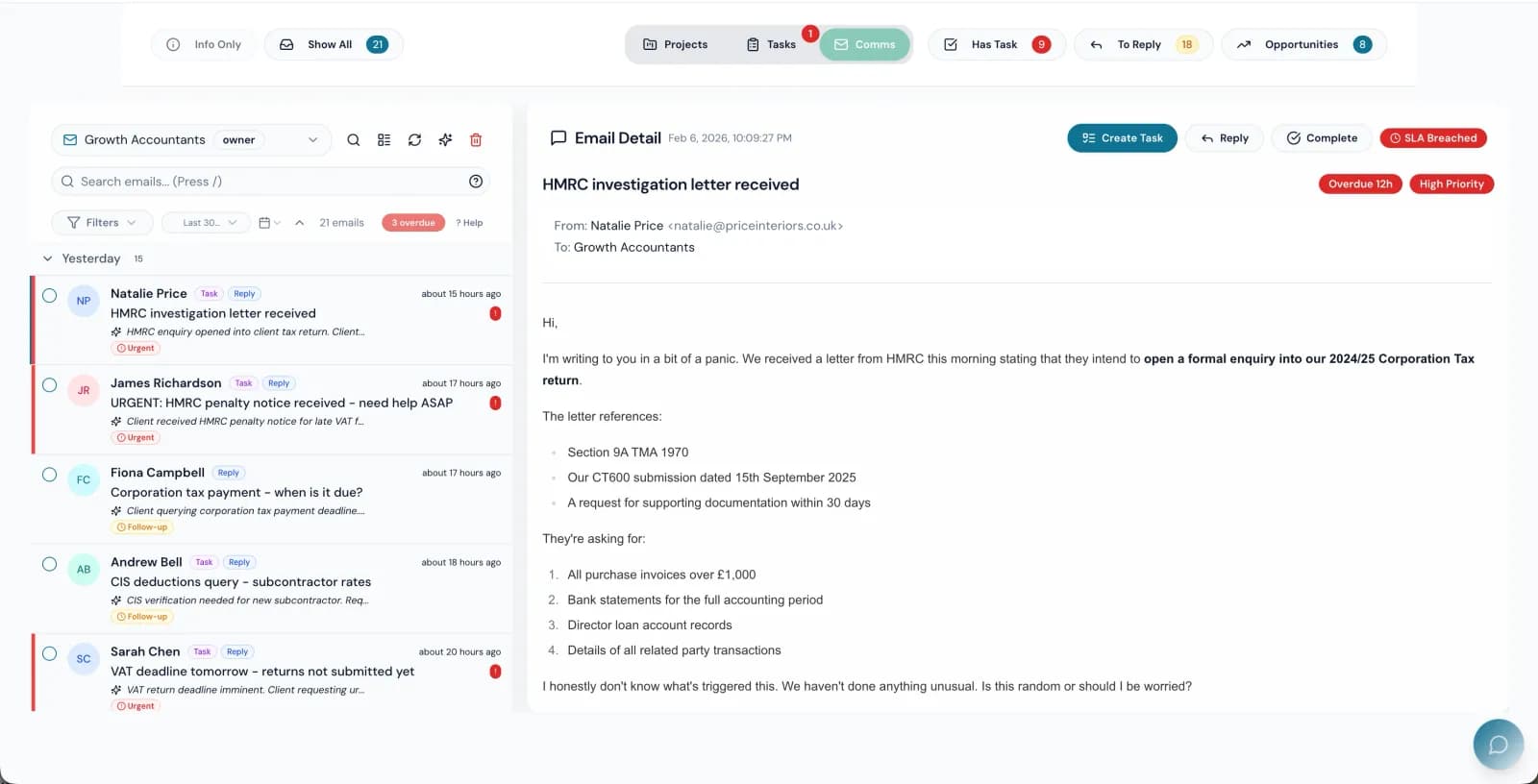
Emails sync automatically through Microsoft Graph and appear on the client timeline — including mail sent from a personal inbox. Your team keeps working in Outlook if they want to; the firm still gets the record.
Email Reply CaptureAI
An inbound client reply is matched to the right client and the right project automatically and lands in the correct timeline. Nobody files it, nobody forwards it to the team inbox, and nothing is lost because the person it came to was off that week.
AI triage on every emailAI
Incoming mail is classified as it arrives — sentiment, urgency, what it is about, and whether it contains an opportunity worth following up. The inbox sorts itself into what needs a partner today and what does not.
Calls, video and transcriptsAI
Click to call from any client or project through RingCentral, with call history logged automatically. Start a video meeting from the same place; Teams and Link meetings are transcribed, summarised, and the key points and action items land on the client timeline.
Tickets and client repliesAI
Client requests become tracked tickets with an owner and a state rather than an email somebody meant to get back to. Ticket Intelligence suggests the answer and the next action from what the firm already knows about that client.
Internal chat that knows the client
Threads with @mentions, reactions and linked clients and projects — so a conversation about a job is attached to the job, and a new person reading it later has the context instead of the conclusions.
Campaign sequencesAI
Multi-step email sequences for chasing records, onboarding, or cross-selling a service, with conditional branching and delivery, open and click reporting. AI drafts the content in the firm's voice; a human approves before anything sends.
Calendar and meeting booking
An Outlook-style calendar with drag-to-reschedule, colour-coded events and reminders, plus bookable slots clients can take themselves. Your team runs their day without switching to another tool.
Capabilities marked AI are part of the AI that ships inside The Link — not a roadmap, and not a separate product.
Connected to
Every one of these is wired, with token storage, error handling and — where the provider needs it — a refresh job that keeps the connection alive.
- Microsoft Outlook
- Microsoft Teams
- RingCentral
- Daily.co
- SendGrid
- VoodooSMS
- Dialora
The rest of the platform
Practice management
Jobs, stages, owners, capacity and time — the spine the rest of the firm hangs off.
Compliance
HMRC, Companies House, AML and the audit trail that proves all three were done.
Bookkeeping
Bank statements, receipts and supplier documents read by AI and pushed to the ledger — without a separate auto-entry licence.
Proposals & engagement
Scoped proposals, engagement letters and e-signature — signed, countersigned and filed without leaving the platform.
Billing & credit control
Direct Debit, recurring fees, payment links and a chase ladder that runs without anyone remembering to.
Reporting & intelligence
Thirty named reports, a pivot builder, and an AI you can ask questions of in plain English.
Client experience
What your clients actually touch — the portal, the app, and every page they land on to approve, sign or send you something.
See communications against your own firm.
Thirty minutes, screen shared, your work on the table. Or answer six questions and get a deck built around what you said matters.