
Practice management
Every job, every stage, every owner — on one board.
Most firms know roughly where their work is. Practice management in The Link is about knowing exactly: which job is on which stage, who owns it right now, how long it has sat there, and whether the person it is waiting on has the capacity to pick it up this month. It is the part of the platform your team is in all day, and everything else — compliance deadlines, client emails, billing — attaches to it.
What it does
Kanban workflow engine
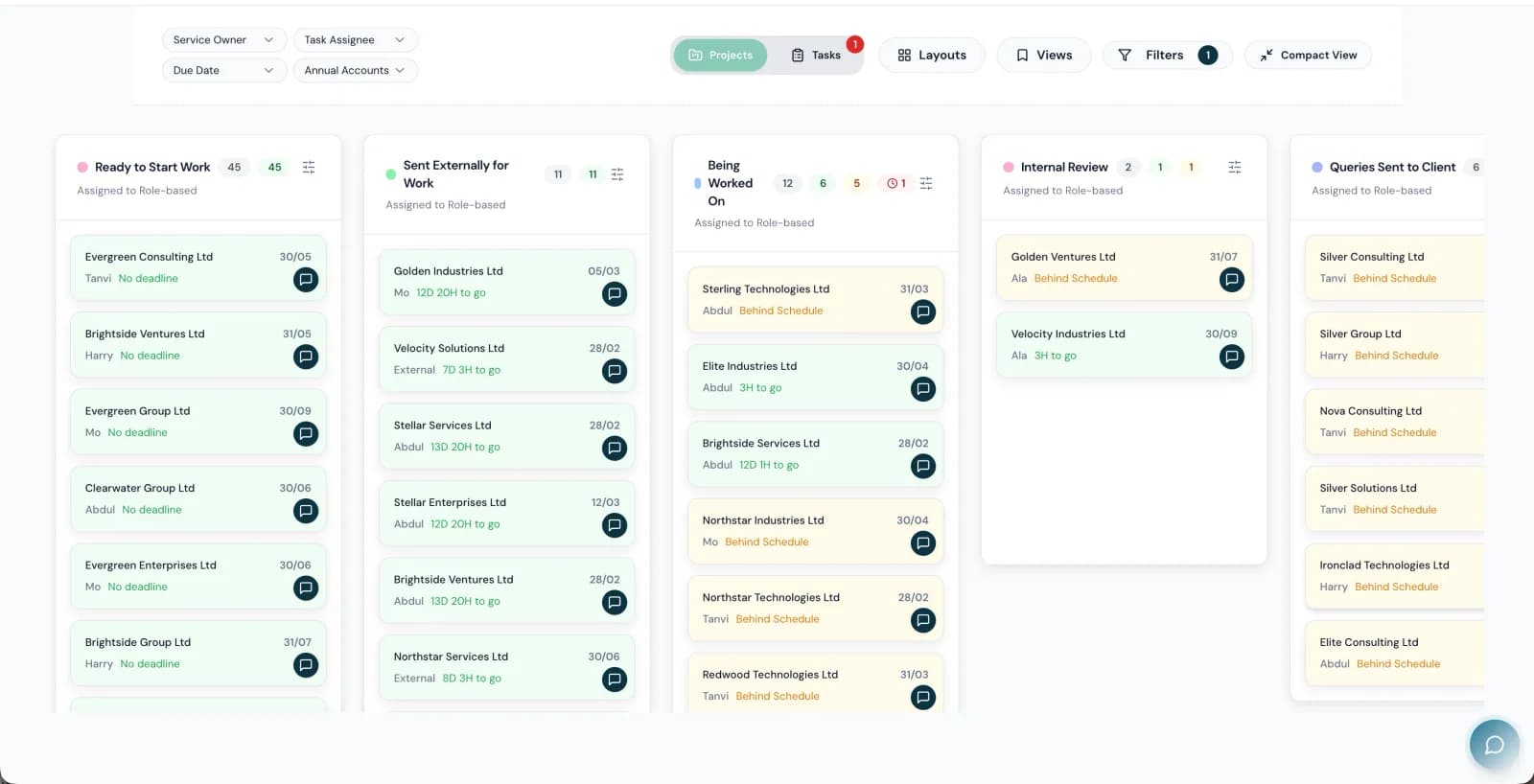
Visual stage-by-stage tracking for every project type. Drag jobs between stages, see who owns what, and spot a blockage before a client does. Boards are per service, so a VAT board and an accounts board look nothing like each other — because they are not the same job.
Project type templates
Define the workflow once for tax returns, annual accounts, bookkeeping, payroll or anything else. Each type carries its own stage sequence, checklists, role assignments and time budgets. Reorder stages by dragging, and every new job picks up the change immediately.
Stage checklists and approvals
A stage cannot be completed until its checklist is. Booleans, numbers, dropdowns and free text, validated at the point of transition — so the question "did anyone actually check the bank reconciliation?" has an answer, not an opinion.
Stage time tracking and overdue escalation
Automatic timers on every stage give you average time-in-stage per service, and configurable SLA targets per stage escalate to a manager when work stops moving. Nobody has to notice — the system notices.
Capacity heatmap and workload smoothingAI
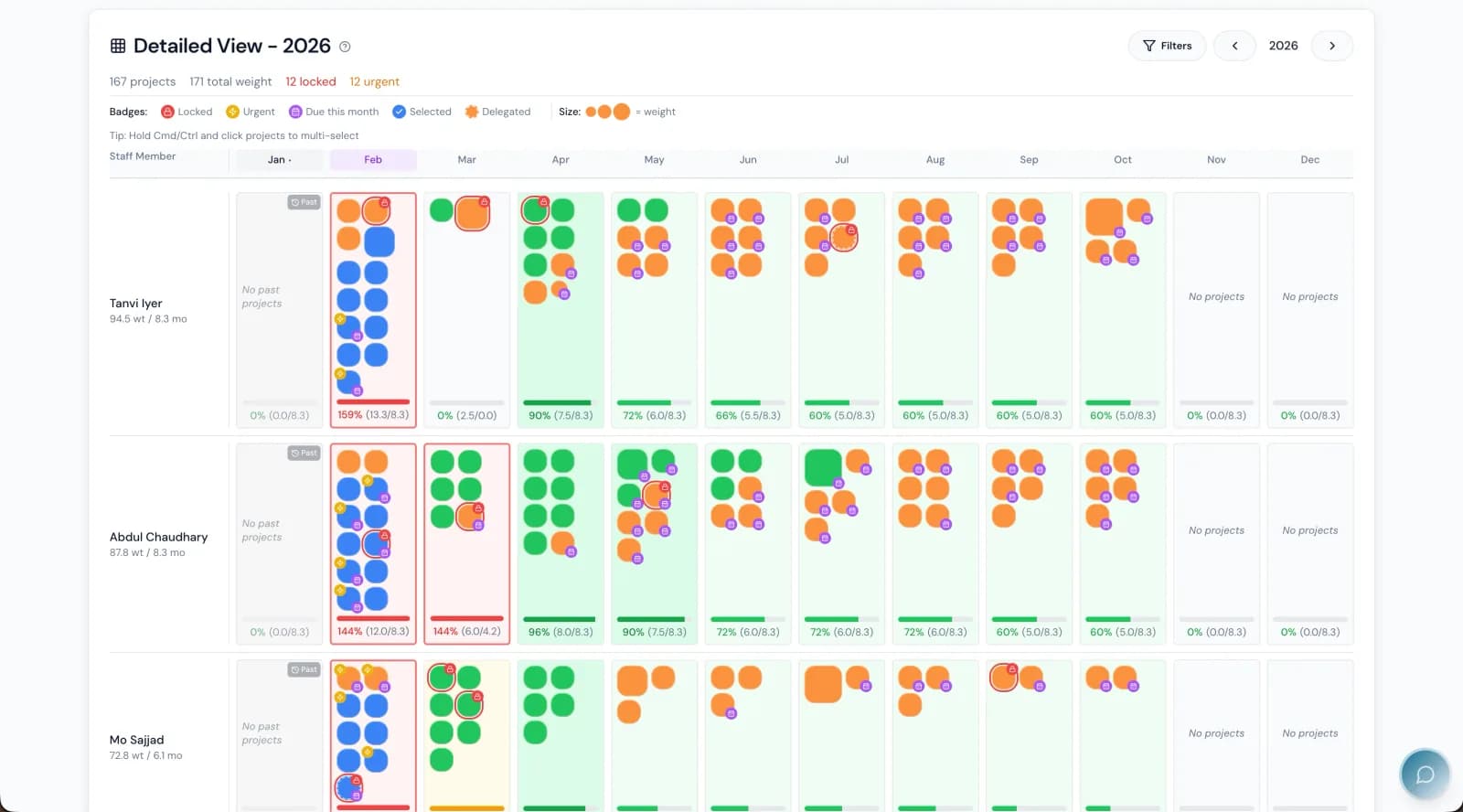
Every team member's workload by month, colour-coded, with complexity weighting rather than a flat job count. Monthly multipliers handle holidays, part-time staff and variable availability, and the scheduler spreads work to remove the feast-and-famine cycle.
Work roles, not job titles
Assign people to roles and let the system route work by role and availability. A new starter is productive on day one because the work finds them, and a firm with people in three offices behaves like a firm with one.
Tasks, reminders and timeAI
Tasks with owners and due dates, reminder ladders that chase without anyone remembering to, and time capture that reconstructs the day from actual activity — projects opened, emails sent, stages moved — rather than asking people to recall it on a Friday.
Capabilities marked AI are part of the AI that ships inside The Link — not a roadmap, and not a separate product.
Firms move off practice-management suites to get here
The rest of the platform
Communications
Email, calls, meetings, internal chat and campaigns — all attached to the client they belong to.
Compliance
HMRC, Companies House, AML and the audit trail that proves all three were done.
Bookkeeping
Bank statements, receipts and supplier documents read by AI and pushed to the ledger — without a separate auto-entry licence.
Proposals & engagement
Scoped proposals, engagement letters and e-signature — signed, countersigned and filed without leaving the platform.
Billing & credit control
Direct Debit, recurring fees, payment links and a chase ladder that runs without anyone remembering to.
Reporting & intelligence
Thirty named reports, a pivot builder, and an AI you can ask questions of in plain English.
Client experience
What your clients actually touch — the portal, the app, and every page they land on to approve, sign or send you something.
See practice management against your own firm.
Thirty minutes, screen shared, your work on the table. Or answer six questions and get a deck built around what you said matters.